


 Music Star Idle Life SimulatorSponsored
Operate a D51 steam locomotive with realistic boiler and valve physics.
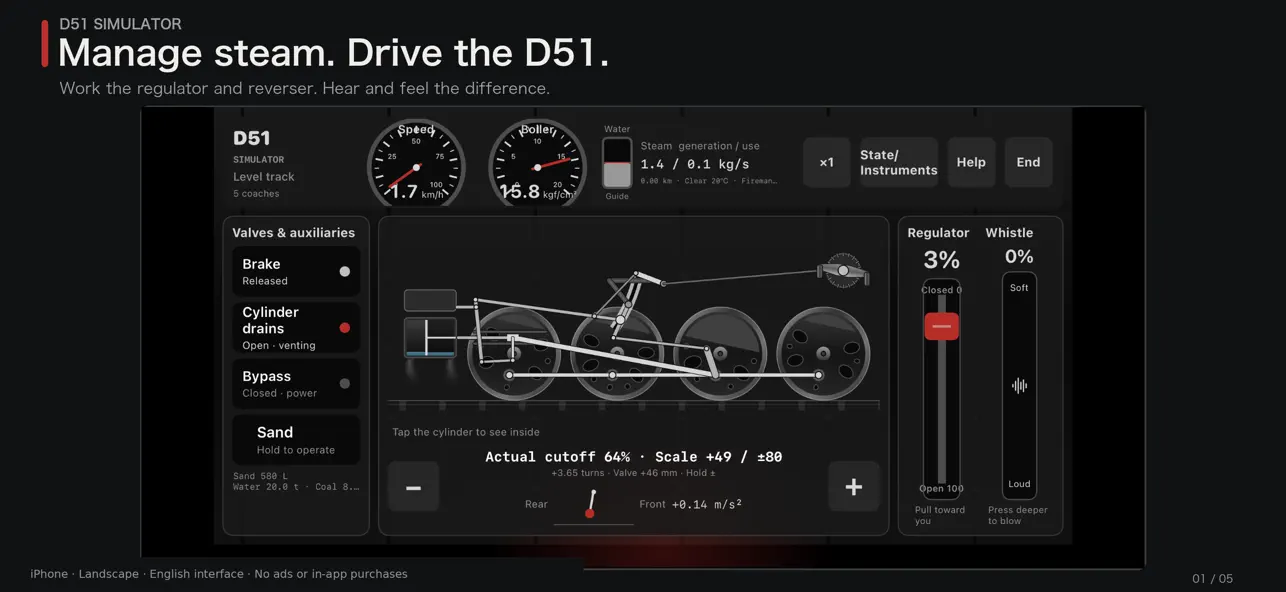
Manage steam. Drive the D51.
Open the regulator and wind the reverser. Listen to the exhaust, watch the wheels, control slip and keep the boiler pressure up. A steam locomotive simulator for iPhone and iPad.
DRIVE THE LOCOMOTIVE
Work the regulator, reverser, brake, drains, bypass valve, sand and whistle. Shorten cutoff as speed rises and adjust it for the climb ahead. Train load, gradient, rain and temperature change how the engine responds. The fireman handles firing and feedwater.
DRIVE BY SOUND AND INSTRUMENTS
Watch speed, boiler pressure and steam-chest pressure while driving. Steam remains in the chest after the regulator closes. Exhaust beats follow the wheels; whistle strength follows pedal travel. Keep an eye on steam generation and use.
Read the full description
LOOK INSIDE THE MACHINERY
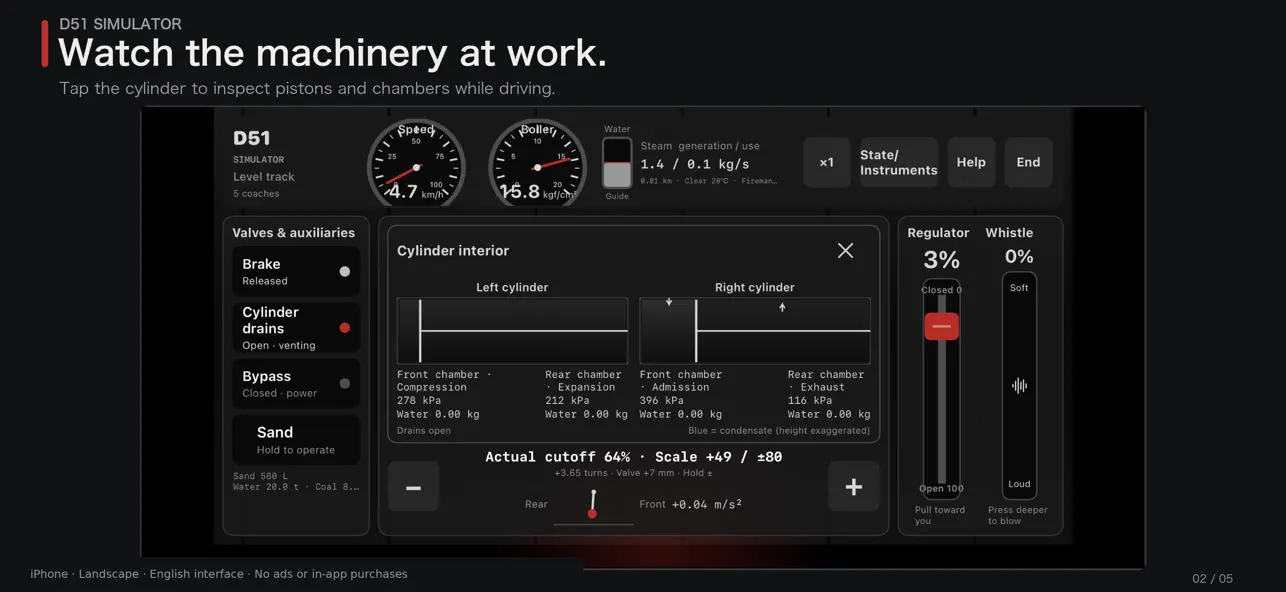
Driving wheels, rods and schematic Walschaerts valve gear move with your controls. Tap the cylinder to watch the valves, pistons, four chamber pressures and water quantities while the run continues. See white steam from the drains and sand falling onto the rails.
CHOOSE THE CONDITIONS
• Locomotive only, 5 or 10 passenger coaches, or 30 or 40 freight wagons.
• Level track, 10‰ or 20‰ climbs, with a level approach or an uphill start.
• A 10km gradient section on the Shintoku side of the old Karikachi line.
• Clear or rainy weather, −10°C or 20°C, and three fireman skill levels.
Water, coal and sand are finite. Watch for slip and water-hammer damage.
LEARN AND REVIEW
A six-step departure tutorial and a guide with a labeled mechanism diagram introduce the controls. Read more about historical departure, power, coasting, resuming power, slip, gradients, braking and the fireman's work.
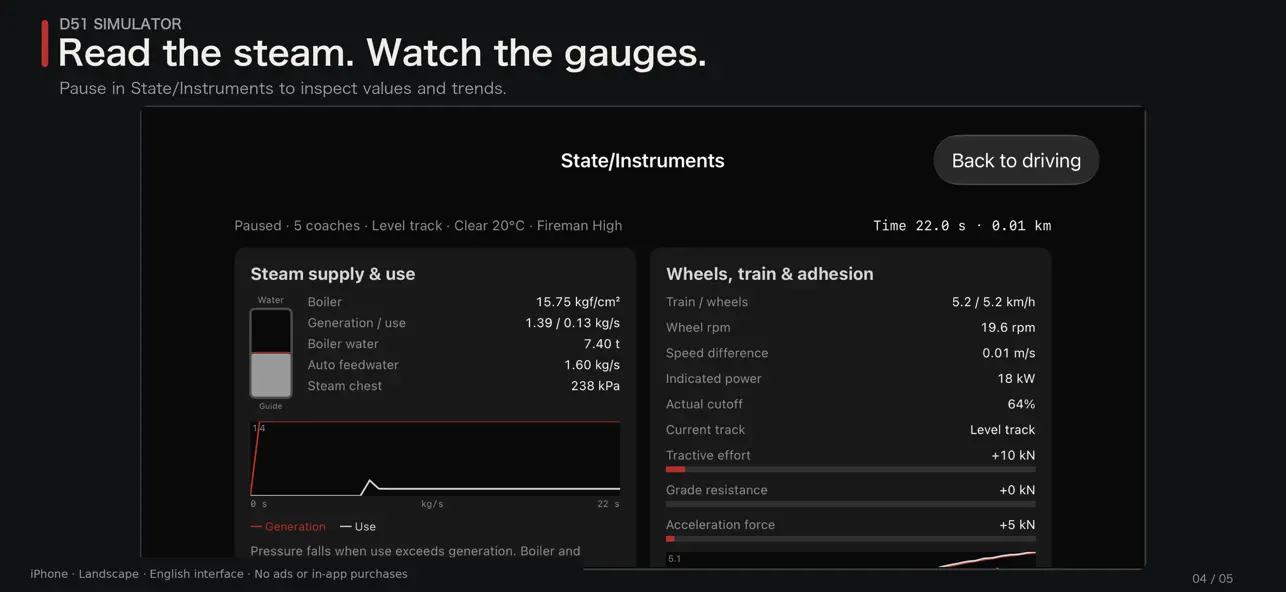
Pause in State for values and graphs. End shows train and wheel speed curves, run statistics and advice based on your driving.
No ads, in-app purchases or account registration. Driving and in-app reading work offline. External source and support pages need an internet connection.
iOS or iPadOS 17 or later. Landscape on iPhone; portrait and landscape on iPad. English and Japanese UI.
Valve motion, thermal and adhesion calculations include approximations. Train weights use representative values. The Karikachi option is a 10km gradient section based on a published diagram with approximate boundaries and no curve resistance. Scenery, stations, signals and timetables are not included.
It is not for operator training or real-world performance calculations.
Ratings
No ratings yet. Be the first.


