 Rich Man Business SimulatorSponsored




Lantern Lane: Cozy Collections
Rich Man Business SimulatorSponsoredDecorate and arrange your own 3D home by collecting furniture and treasures over time.
A little gift. A new favourite piece. A cosy home that feels like you.
Lantern Lane is a relaxing home decorating and collecting game. Discover furniture, plants and decorative treasures, arrange them in your own 3D home, and watch it grow.
COLLECT LITTLE THINGS YOU LOVE
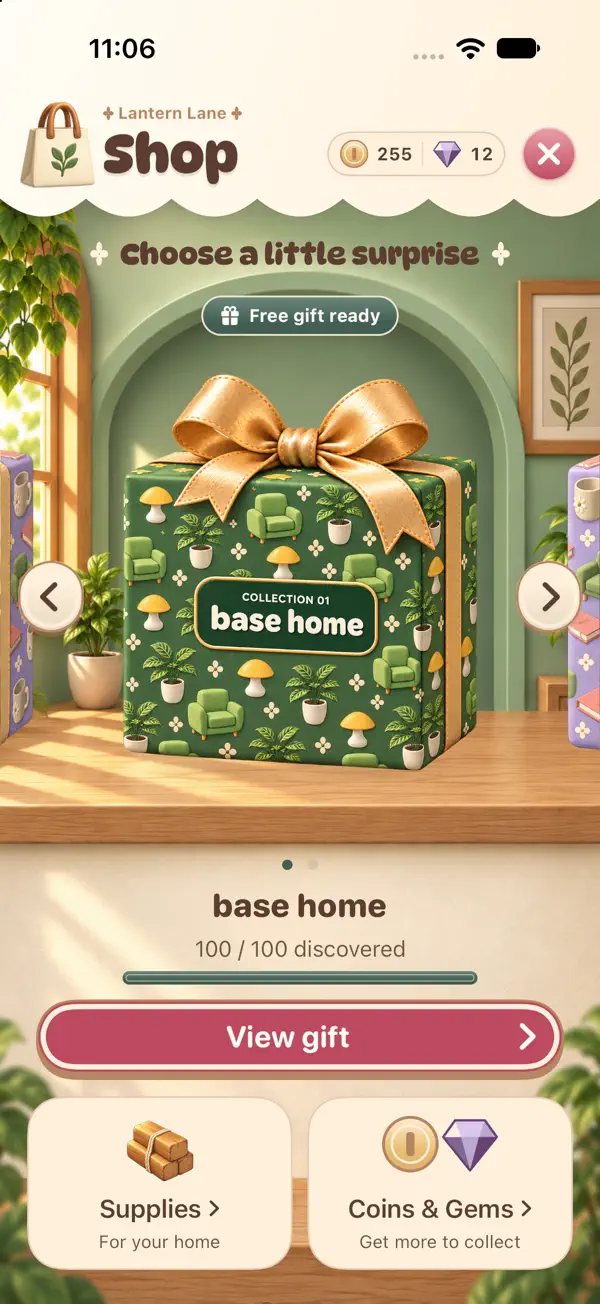
Unwrap a free gift every 12 hours. Choose a collection and use an available free gift, or exchange Coins for a random gift at the price shown for your chosen collection. Track the pieces you have discovered and see each item’s chances before opening.
Read the full description
MAKE YOURSELF AT HOME
Play in portrait or Landscape mode, with layouts that adapt as you turn your phone. Place and rotate furniture, try different colours and create your own cosy corners. Expand your home, shape your layout with walls and half walls, and choose finishes that bring it all together.
MAKE TIME FOR A LITTLE CALM
Enjoy changing daylight, weather and gentle home-care moments. Discover dusty spots around your home, tidy up and settle back into decorating at your own pace.
SHARE A SURPRISE
Add friends using their personal friend codes. Wrap a gift for a friend, or send one through the mystery exchange to be matched with another player.
GROW YOUR COLLECTION
Complete decorating challenges and home projects to earn rewards. Exchange earned Coins or Gems for building supplies and keep creating a space that is yours. Optional Coin and Gem packs are available through the App Store.
YOUR ACCOUNT,
YOUR HOME
Sign in with Apple, Google or email to link your home to your account. Account setup and cloud saving require an internet connection and available online services. Once your home is saved on this device, decorating, catalogue browsing, purchases with saved Coins or Gems, challenges and regular gifts can continue offline.
Your local progress syncs when your account reconnects. Real-money purchases, rewarded ads and sending exchanges require online services. Account-linked gameplay analytics starts automatically and can be turned off in Settings. Crash reports are optional and start off.
Ratings
The store hasn’t given us a per-star breakdown for this one yet.


